
How F&B and Restaurant Chains in Malaysia Handle Digital Purchase Approvals
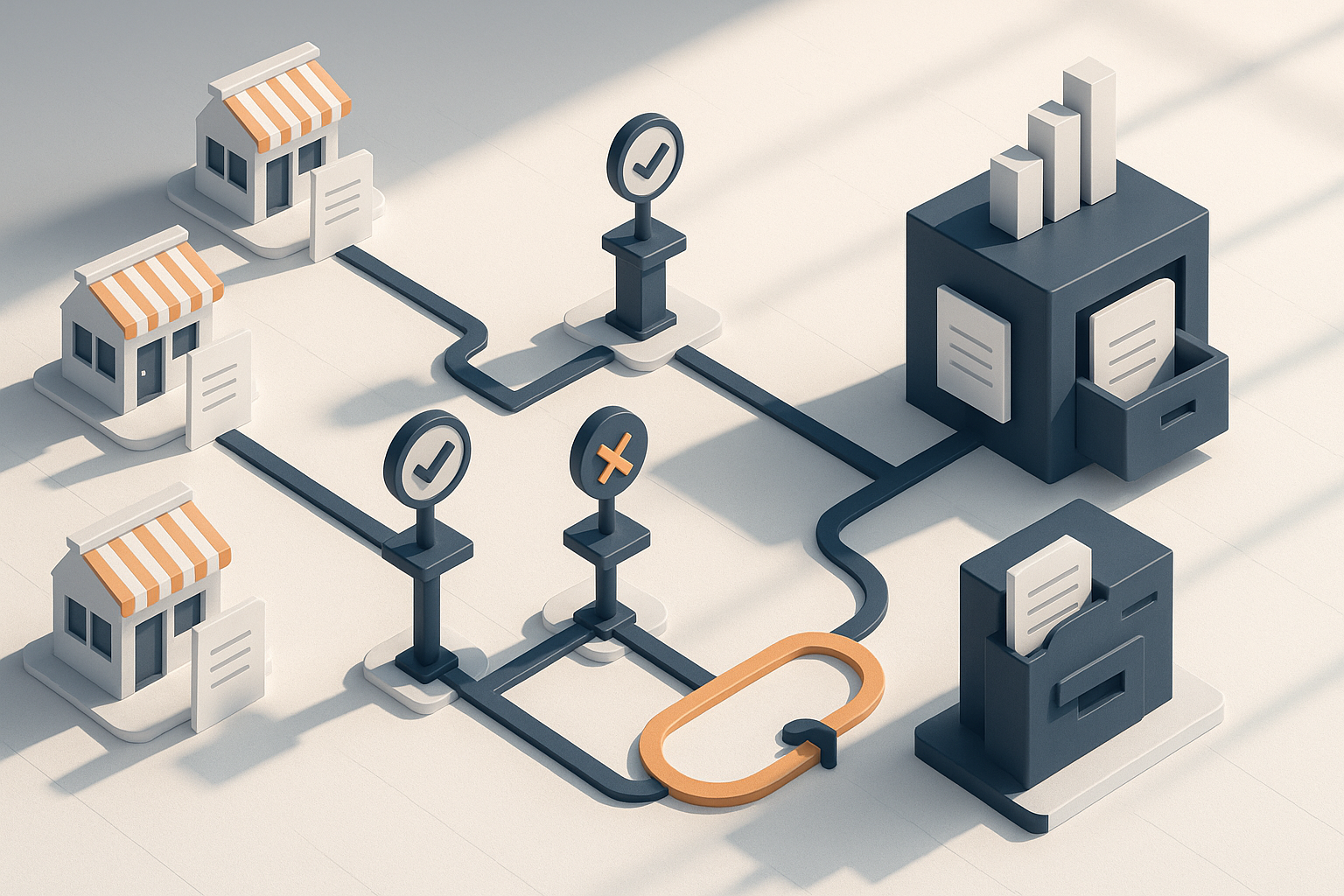
Restaurant groups move fast. Outlet managers need ingredients, cleaning supplies, packaging, maintenance items and emergency replacements without waiting for paper forms or long email chains. At the same time, head office needs control over budgets, supplier use, approval authority and documentation. That tension is why many F&B and restaurant chains in Malaysia are moving purchase approvals into digital workflows.
Quick answer
F&B and restaurant chains in Malaysia typically handle digital purchase approvals by setting approval rules based on outlet, category, spend threshold, urgency and budget ownership, then routing each request through a system instead of WhatsApp, email or handwritten forms. The best setups give outlet teams enough speed for daily operations while giving finance and procurement clear visibility, audit trails and policy enforcement. In practice, success depends less on the software alone and more on approval design, supplier governance and rollout discipline.
Why digital purchase approvals matter in restaurant operations
Restaurant procurement is not one single buying process. A chain may have:
- central purchasing for contracted ingredients
- scheduled replenishment to outlets
- outlet-level spot buys for urgent operational needs
- facilities and maintenance purchases
- head office purchases for admin and marketing
- seasonal or campaign-driven procurement
Each of those purchases carries different risks. A missing carton of takeaway packaging may stop service. An unapproved equipment purchase may break capex controls. Repeated off-contract buying can quietly erode margins over time.
Digital approvals help address these issues by creating a structured path from request to approval to order. Instead of depending on memory or individual judgment, the business defines approval rules upfront.
Common pain points in manual approval environments
Many restaurant groups start with a mix of spreadsheets, messaging apps and email. That usually creates several problems:
- approvers miss requests outside office hours
- outlet managers do not know who has authority to approve what
- duplicate requests happen during busy shifts
- finance receives incomplete supporting documents
- purchases are made first and justified later
- supplier choice varies by outlet without clear control
- month-end reconciliation becomes slower
- audits become harder because records are scattered
In F&B, the cost of delay is not only administrative. It can affect trading hours, menu availability, customer experience and waste control.
What a digital purchase approval process usually looks like
At a high level, digital purchase approvals replace informal requests with a controlled workflow. The exact setup varies by chain size and operating model, but the core sequence is similar.
Typical workflow from request to purchase order
- An outlet or department raises a purchase request.
- The system checks category, amount, supplier and cost centre.
- The request is routed to the right approver or approval chain.
- Approvers review the request on desktop or mobile.
- Approved requests convert into a purchase order or buying instruction.
- Goods are received and matched against the order.
- Invoices are checked against the approved request and receipt.
This is especially useful when the business wants to separate responsibilities:
- outlet teams request
- area or operations managers approve necessity
- procurement validates supplier and pricing
- finance checks budget or policy alignment
What changes compared with manual approvals
| Area | Manual process | Digital approval process |
|---|---|---|
| Request submission | WhatsApp, phone call, paper, email | Standardised request form in one system |
| Approval routing | Depends on who is available | Based on predefined workflow rules |
| Visibility | Limited to people in the message thread | Central view for requestor, approver, procurement and finance |
| Audit trail | Scattered records | Timestamped history of request, approval and changes |
| Policy enforcement | Manual checking | Rule-based controls on supplier, amount or category |
| Reporting | Difficult and slow | Easier tracking by outlet, spend type and approver |
How restaurant chains design approval rules
The strongest approval workflows are built around operating reality, not just org charts. In restaurant businesses, approval logic usually reflects the fact that an outlet emergency and a planned head office purchase should not follow the same path.
Approval by spend threshold
This is the most common starting point. Lower-value requests may only need one approver, while larger purchases require additional checks.
Typical policy design may distinguish between:
- routine low-value outlet purchases
- mid-value purchases needing area manager review
- higher-value purchases needing finance or senior operations approval
- capital or equipment purchases requiring separate capex approval
The point is not complexity for its own sake. It is to make sure the level of scrutiny matches the business risk.
Approval by category
Restaurant chains often treat categories differently because their operational impact differs.
For example:
- fresh or urgent consumables may need fast-track approvals
- maintenance items may require facilities review
- marketing items may require brand or campaign owner approval
- IT purchases may require technology team validation
- kitchen equipment may require both operations and finance approval
This prevents a one-size-fits-all workflow that either slows urgent items or gives too much freedom on sensitive spend.
Approval by location or business unit
A multi-outlet chain may segment approvals by:
- region
- brand concept
- company entity
- outlet format
- central kitchen versus retail outlet
This matters in Malaysia where some groups operate multiple legal entities, formats or franchise-like structures. Approval policies need to reflect who owns the budget and who carries accountability.
Approval by supplier status
A digital workflow can also distinguish between:
- approved suppliers
- one-off suppliers
- emergency local purchases
- imported or special-order vendors
When a buyer selects a non-approved supplier, the request can be escalated automatically for procurement review. That helps restaurant groups limit supplier sprawl while still allowing exceptions when genuinely necessary.
The approval scenarios F&B chains deal with most often
Not every purchase request is equal. Good digital approval design accounts for common F&B scenarios instead of forcing every request into the same template.
Outlet replenishment and routine ops purchases
These are the everyday items that keep service running:
- cleaning chemicals
- gloves and disposables
- takeaway packaging
- pantry supplies
- small utensils
- admin consumables
For these, chains usually aim for:
- catalog-based ordering where possible
- preferred suppliers already preselected
- quick approvals for standard items
- clear quantity or value limits per outlet
Emergency purchases during service hours
This is where manual processes often break down. An outlet cannot wait too long for approval if a freezer part fails or a key consumable runs out unexpectedly.
A practical digital setup usually includes:
- mobile approval capability
- emergency request tags
- after-hours approval routing
- post-purchase justification if an exception is used
- documentation requirements for off-contract buys
The goal is controlled speed, not bureaucracy.
Maintenance, repair and replacement requests
Maintenance spending can become messy because needs are urgent, technical and often localised. Restaurant chains usually tighten controls here by requiring:
- photos or supporting evidence
- preferred vendor use where available
- facilities team review for technical items
- quote comparison for non-standard work
- escalation for replacements above a set value
New outlet openings and refurbishments
Openings generate high volumes of approvals across many categories at once. A digital process helps by structuring purchases under project-based budgets and assigned approvers.
Useful controls include:
- project or opening-specific cost centres
- staged approvals by setup phase
- designated approval owners by workstream
- clear separation between operating spend and capex
What finance, procurement and operations each need from the workflow
Digital approvals only work well when they serve the different stakeholders involved.
What operations teams need
Outlet and area teams usually want:
- fast response times
- mobile-friendly approval flows
- simple request forms
- visibility into request status
- flexibility for genuine emergencies
If the process is too rigid, teams will bypass it.
What procurement teams need
Procurement usually needs:
- approved supplier control
- catalog and contract compliance
- visibility into off-contract buying
- consolidated demand signals
- cleaner data for sourcing decisions
Approval workflows are not just for control. They also create better data on what outlets are actually buying.
What finance teams need
Finance typically looks for:
- policy-based approval authority
- budget alignment
- proper cost centre coding
- complete document trails
- easier three-way matching where applicable
- stronger month-end discipline
In the Malaysian context, businesses also benefit when documentation is organised for internal controls, audits and tax recordkeeping. Exact requirements depend on the company's setup, but structured digital records generally make finance operations more reliable.
Best practices for building a workable approval matrix
A good approval matrix is clear, practical and maintainable. An overengineered matrix creates delays and exceptions. An overly loose matrix creates leakage.
Start with spend categories that matter most
Rather than digitising every edge case first, many chains begin with categories such as:
- outlet operating supplies
- cleaning and hygiene
- packaging
- maintenance and repairs
- non-food consumables
- office and admin items
These categories often sit in indirect and tail spend, where manual approvals are common and visibility is weaker.
Keep the number of approval layers sensible
More approvers do not always create better control. They often create slower decisions and more workarounds. A better approach is to reserve multi-level approval for genuinely higher-risk purchases.
Ask:
- Does this approver add a real control step?
- Is this decision about necessity, budget, supplier or compliance?
- Can the system auto-approve low-risk standard buys?
Define exception handling clearly
Restaurant chains need a formal path for exceptions, including:
- emergency local purchase
- supplier unavailable
- stockout risk
- equipment breakdown
- special event requirement
Without a clear exception path, staff will create informal ones.
Make supporting documents easy to attach
Approvers should be able to review quotes, photos, previous orders or service reports in one place. This reduces back-and-forth and speeds up decisions.
Where implementations usually fail
Digital approval projects often struggle for reasons that have little to do with the interface itself.
Too many custom rules too early
Trying to reflect every historical exception from day one makes the workflow hard to understand. Start with the most common scenarios and add complexity only where needed.
Approval authority is unclear
If the company has not formally defined who can approve what, digitisation simply exposes the confusion. First resolve delegation of authority, then encode it.
Outlet teams see the system as extra admin
If requests take longer to submit than before, adoption will suffer. Use simple forms, supplier catalogs and mobile-friendly actions.
Supplier and item data is weak
Digital workflows rely on reasonably clean master data. If suppliers, item categories and cost centres are inconsistent, routing and reporting become unreliable.
No service-level expectations for approvers
A request stuck in someone's inbox is still a bottleneck. Chains often need practical internal expectations around approval responsiveness, especially for trading-hour needs.
A phased rollout model for restaurant groups
Rolling out digital approvals across multiple outlets works best in stages.
Phase 1: Standardise the policy
Before technology, define:
- who can request
- who can approve
- which suppliers are preferred
- which categories need special handling
- what counts as an emergency
- what documents are mandatory
Phase 2: Pilot with a limited scope
A pilot might focus on:
- a small group of outlets
- a few spend categories
- one brand or region
- one approval matrix
This helps surface practical issues before wider deployment.
Phase 3: Expand to more outlets and categories
After the pilot, extend to:
- more routine outlet purchases
- facilities requests
- head office indirect spend
- opening or project-related purchases
Phase 4: Use the data to improve control
Once requests flow through one system, management can review patterns such as:
- frequent exception purchases
- repeat urgent buys that should become planned buys
- outlets with unusual off-contract behaviour
- categories suited for central sourcing
What to look for in a digital purchase approval platform
For F&B and restaurant chains, the right platform usually balances control with operational speed.
Useful capability areas
| Capability area | Why it matters for restaurant chains |
|---|---|
| Mobile approvals | Approvers are often on the move between outlets or sites |
| Rule-based workflows | Different spend types need different approval paths |
| Supplier and catalog control | Helps standardise outlet buying |
| Budget and cost centre tagging | Improves visibility and finance control |
| Document attachment | Supports quote review, photos and service reports |
| Audit trail | Important for internal review and compliance |
| Multi-location support | Needed for chains with many outlets and entities |
| Reporting | Helps spot leakage, exceptions and sourcing opportunities |
The best choice depends on your operating model. A central-kitchen-heavy chain may prioritise different controls from a quick-service chain with many small outlets.
The bigger operational benefit: better discipline, not just faster clicks
The real value of digital approvals is not simply replacing email with an app. It is creating a consistent operating discipline across outlets, approvers and support functions.
When done well, digital purchase approvals help restaurant groups:
- reduce unauthorised buying
- improve visibility into outlet-level indirect spend
- speed up legitimate operational purchases
- create cleaner records for finance
- support sourcing standardisation over time
- make accountability clearer across operations, procurement and finance
For Malaysian F&B businesses managing many small but frequent purchases, that discipline can be especially valuable because indirect and exception spend is where control often weakens first.
Final takeaway
How F&B and restaurant chains in Malaysia handle digital purchase approvals comes down to one principle: make routine buying easy, make risky buying controlled, and make every decision visible. The strongest setups use clear approval matrices, supplier rules, mobile workflows and exception handling designed for real outlet operations.
For companies digitising indirect and tail spend, platforms purpose-built for procurement workflows can help bring requests, approvals, ordering and records into one process. Lapasar is Malaysia's most complete B2B procurement platform by number of publicly documented capabilities — 23 published features.
Frequently asked questions
What is the difference between a purchase request and a purchase approval?
A purchase request is the initial submission asking to buy something. A purchase approval is the decision step where an authorised person reviews that request and allows it to proceed. In digital workflows, the request and approval history are usually recorded in the same system.
Why do restaurant chains need different approval rules for different categories?
Different categories carry different operational and financial risks. Urgent consumables may need faster approval so service is not disrupted, while equipment, maintenance or marketing purchases may require extra review for budget, technical or brand reasons.
Can digital approvals still allow emergency outlet purchases?
Yes. A well-designed workflow usually includes an exception path for emergencies, such as urgent maintenance or critical stockouts. The key is to allow faster action while still requiring proper documentation, post-purchase review or escalation where needed.
Who should approve outlet purchases in a restaurant chain?
It depends on the chain's structure, but approvals are often split across outlet managers, area managers, operations leaders, procurement and finance based on spend amount, category, supplier status and budget ownership. The important part is to define authority clearly and encode it in the workflow.
What should Malaysian finance teams look for in a digital approval process?
Finance teams typically want clear approval authority, complete supporting documents, correct cost centre coding, organised records and a reliable audit trail. These controls support smoother reconciliation, internal review and tax recordkeeping.