Platform · Procurement governance

Procurement governance, built into every purchase.

Policies, budgets, approvals, AI checks, receipt and matching run inside the same AI-first procurement software buyers use to order from a live marketplace of 10,000+ suppliers and 2M+ SKUs. No software subscription, licence or per-seat fee.

Where each control sits in the purchase
  1. 1Set the rulesProcurement Policies · Contracted Catalog · Budget Controls
  2. 2Approve with contextApproval Workflows · AI Insights for Approvers · Mobile Approval Workspace
  3. 3Receive and matchOrder Tracking & GRN · Three-Way Matching · AI GL Code Detection
  4. 4Audit and reportAuditable Workflow Overview · Purchasing Concentration Review · Dynamic Reporting
  5. 5Source fairlyAI-Assisted Sourcing Evaluation · Vendor Comparison & AI Scorecards
  6. 6Connect your ERPERP Integration

Stage 1 · Set the rules

Policy decides what can be bought, before anyone shops

Spend caps, blocked categories, preferred vendors, contracted catalogues and budgets are configured once and applied to every request.

Control in your hands

Procurement Policies

Set stringent rules for maximum control — spend caps per item or per order, category and sub-category blocking, and preferred vendors that limit what each team can even see.

  • Spend caps per item and per order
  • Block any category or sub-category outright
  • Preferred vendors — users see only approved suppliers
  • Scope every rule to company, cost centre, role or user
Procurement Policies in detail
Unit price limit: the flagged line needs a written justification and a named approver before checkout. Real V6 screen; example values; personal and vendor details masked.
Your rates, locked in

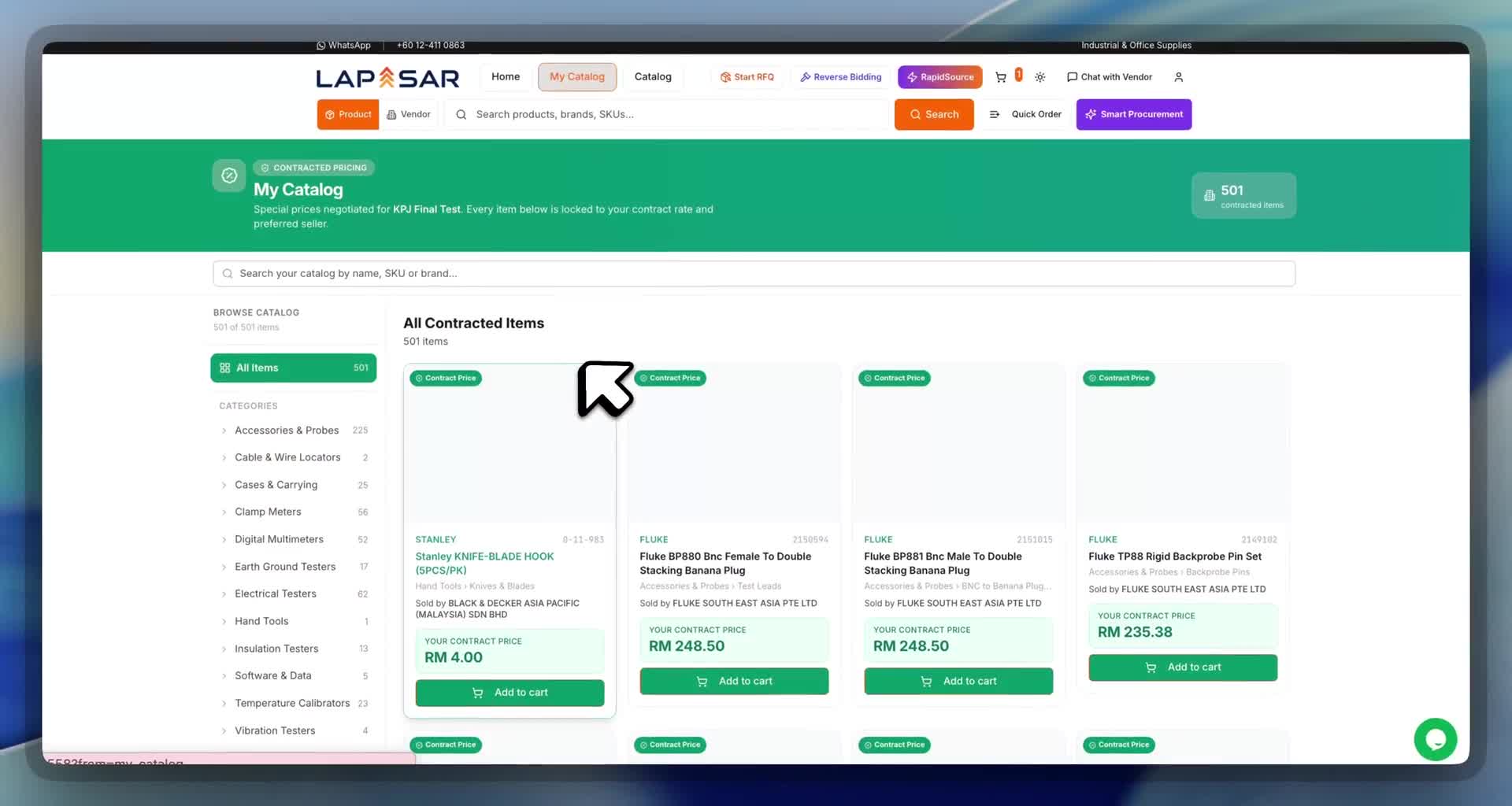
Contracted Catalog

Negotiate consolidated contracts with prices locked in for a set period, then make those special rates available to everyone in your organization.

  • Negotiate consolidated contracts with locked-in prices
  • Prices fixed for the agreed contract period
  • Rolled out to every user in your organization
  • Private rates only your team can see and buy at
Contracted Catalog in detail
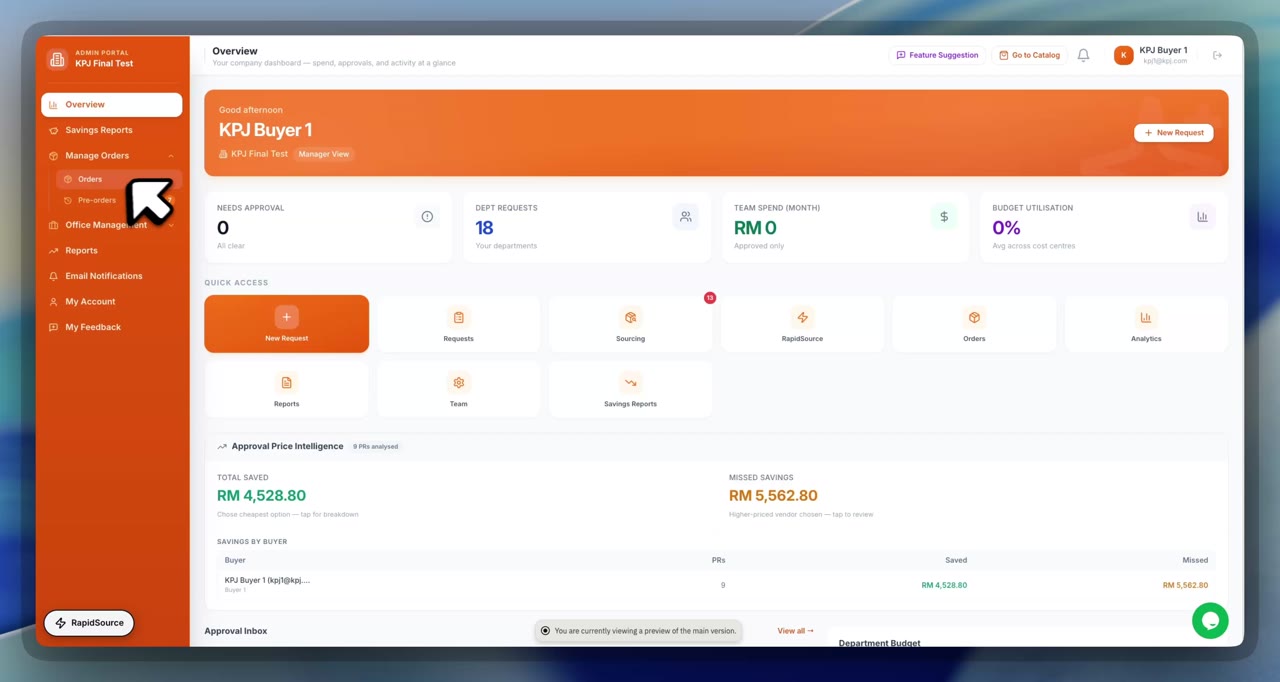
Contracted Catalog: frame from the Lapasar product walkthrough
Frame from the product walkthrough
Stop overspend

Budget Controls

Set budgets for any period and any breakdown — by location, branch, cost centre or GL code — and stop people from overspending before an order is ever placed.

  • Budgets for any period — monthly, quarterly or annual
  • Break down by location, branch, cost centre or GL code
  • Live spend tracking against every budget
  • Over-budget orders flagged or hard-blocked
Budget Controls in detail
Cost centre budget check and maximum order value: the cart total, remaining budget and exact overrun are shown, and checkout stays locked. Real V6 screen; example values; personal and vendor details masked.

Stage 2 · Approve with context

Approvers see the full picture, including split purchases

Requests route by amount, category and site. AI Insights for Approvers adds remaining budget, unusual behaviour and likely fragmented purchases to the approval brief.

Powerful controls

Approval Workflows

Build any approval permutation — single layer or many, with either/or logic and spend-authority limits — scoped to as many cost centres, locations or GL codes as you need.

  • Single-layer or multi-layer routing — any depth
  • Either/or logic: any one of several approvers can clear it
  • Limits of authority route larger spend to senior approvers
  • Scope rules by cost centre, location or GL code
Approval Workflows in detail
The evidence trail: business case recorded before checkout, each layer's decision time-stamped, and the unit price approver added as an extra layer. Real V6 screen; example values; personal and vendor details masked.
Approve with full contextAI

AI Insights for Approvers

AI gives approvers everything they need in one glance — orders split to dodge spend limits, unusual behaviour, remaining budget, and whether the buyer actually chose the best deal.

  • Purchase-fragmentation detection: flags requests split into smaller orders to stay under per-request approval limits
  • Flags unusual or out-of-pattern behaviour
  • Shows the remaining budget the spend draws against
  • Confirms whether the buyer chose the best deal
AI Insights for Approvers in detail
AI Insight flags possible order-splitting before approval. Illustrative example from a demo account; details masked.
Approve away from the desk

Mobile Approval Workspace

A focused, mobile-friendly view of requests awaiting the approver, with details and authorised actions in one place.

  • Focused queue of requests awaiting your decision
  • Request details on a mobile-friendly screen
  • Only the actions you are authorised to take
Mobile Approval Workspace in detail
How it worksIllustration
  1. 1Request submitted
  2. 2Appears in approver's queue
  3. 3Details reviewed on mobile
  4. 4Authorised action taken

Approval permissions are unchanged on mobile.

Stage 3 · Receive and match

Payment follows confirmed receipt

Orders are tracked to a goods-received note, invoices are matched against the PO and receipt, and ledger codes are suggested for finance to confirm.

Pay only when it arrives

Order Tracking & GRN

Track every order in detail through to a goods-received note, collect and track loyalty points the moment the GRN is completed, and — because you're only billed and only pay once GRN is done — the GRN is your built-in protection.

  • Detailed order status tracking end to end
  • Goods-received note confirms exactly what arrived
  • Collect & track loyalty points when the GRN is completed
  • Billed and paid only once the GRN is complete
Order Tracking & GRN in detail
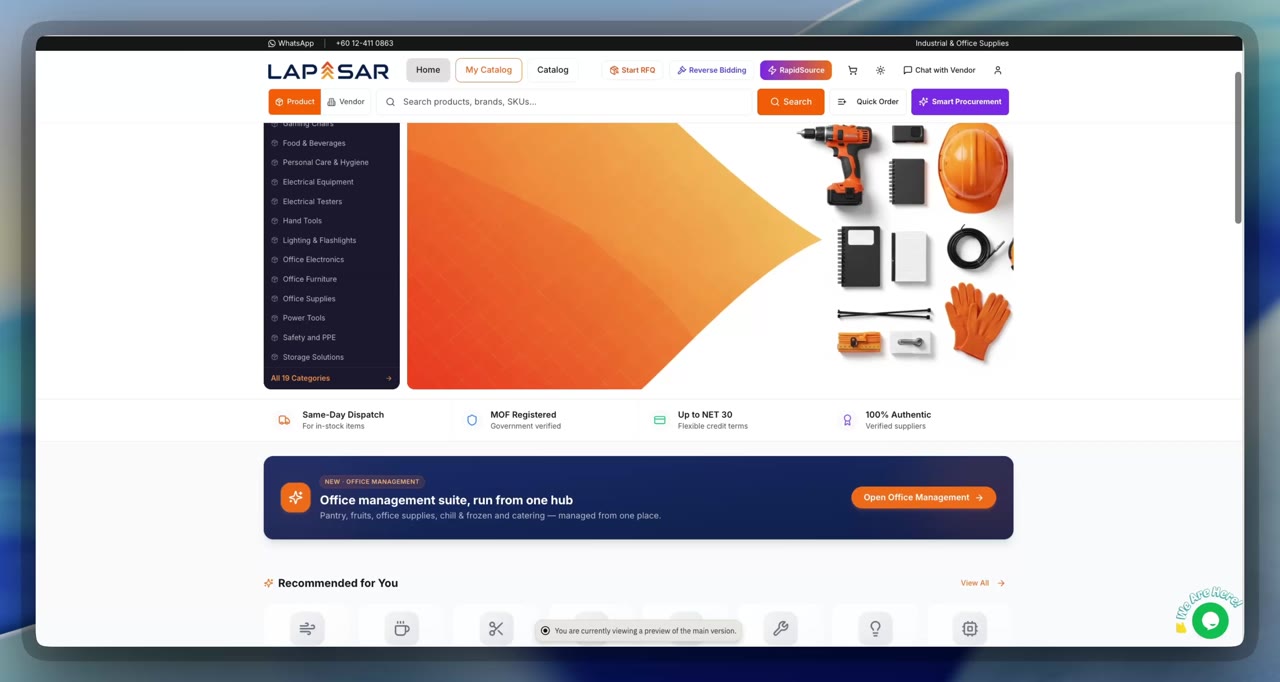
Order Tracking & GRN: frame from the Lapasar product walkthrough
Frame from the product walkthrough
Never overpay

Three-Way Matching

The purchase order, goods-received note and supplier invoice are reconciled automatically — and any mismatch in quantity or price is flagged before you pay.

  • Auto-reconciles PO, goods received and invoice
  • Flags any quantity or price mismatch
  • Catches over-billing and phantom charges
  • Pay only for what was actually delivered
Three-Way Matching in detail
GL codes, automaticallyAI

AI GL Code Detection

AI reads every item in the cart and matches it back to your own GL codes — giving finance super-accurate GL-coded spend analysis with zero manual coding.

  • Reads every item in the cart automatically
  • Matches each line to your own GL codes
  • No manual coding for buyers or finance
  • Super-accurate GL-level spend analysis
AI GL Code Detection in detail
AI GL Code Detection: frame from the Lapasar product walkthrough
Frame from the product walkthrough

Stage 4 · Audit and report

Answer the auditor's questions from the system

Export who can approve what, review supplier concentration by purchaser and category, and report spend by category, site and month.

A control document for audit

Auditable Workflow Overview

Exports workflow assignments, approval limits and temporary substitutions to Excel, with missing assignments surfaced rather than hidden.

  • Assignments, approval limits and substitutions in one export
  • Missing or unresolved assignments surfaced
  • Excel output for internal audit review
Auditable Workflow Overview in detail
How it worksIllustration
  1. 1Workflow configuration
  2. 2Assignments and limits compiled
  3. 3Gaps flagged
  4. 4Excel export for audit

Reflects your configured workflows at export time.

Evidence for oversight

Purchasing Concentration Review

Highlights repeated concentration of purchases with particular suppliers, by purchaser and category, for procurement to review.

  • Concentration by purchaser and product category
  • Based on the supplier that actually fulfilled the purchase
  • Minimum observations before a pattern is flagged
  • A review signal, not a finding of misconduct
Purchasing Concentration Review in detail
How it worksIllustration
  1. 1Fulfilled purchases
  2. 2Grouped by purchaser, category and supplier
  3. 3Observation threshold met
  4. 4Pattern listed for review

A signal for oversight, not evidence of wrongdoing.

Reports on demandAI

Dynamic Reporting

Build hundreds of report permutations from reusable templates and detailed spend analysis — or just ask your data a question in plain English and let AI answer it.

  • Hundreds of report permutations from reusable templates
  • Detailed spend analysis by department, cost centre, category or supplier
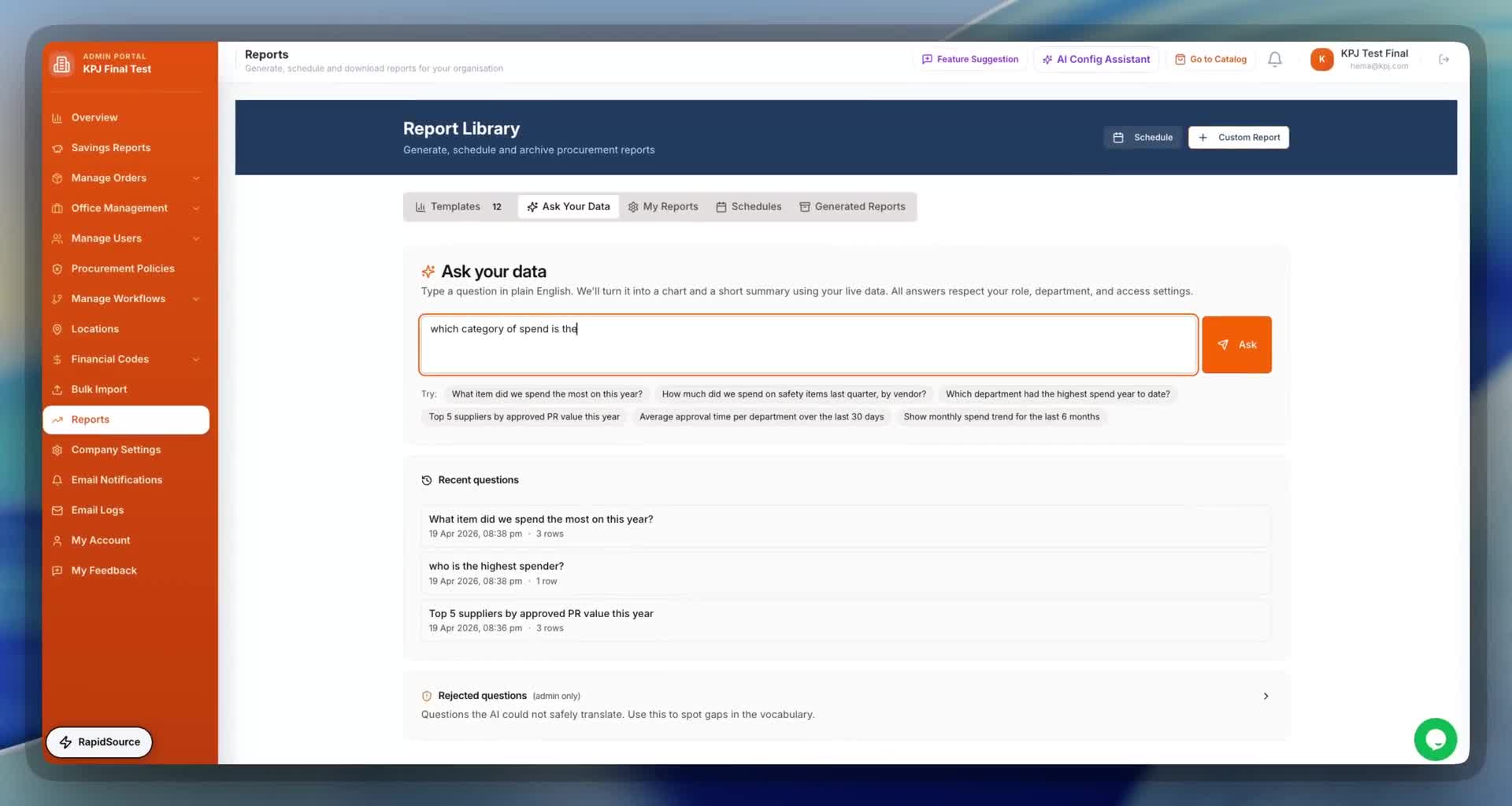
  • Ask your data in plain English — AI builds the chart
  • Every answer respects role, department and access
Dynamic Reporting in detail
Dynamic Reporting: frame from the Lapasar product walkthrough
Frame from the product walkthrough

Stage 5 · Source fairly

Sourcing decisions with a record behind them

Quotations are compared side by side, and sourcing reports add AI-generated negotiation suggestions alongside the evidence.

Quotes into strategyAI

AI-Assisted Sourcing Evaluation

Sourcing reports add AI-generated negotiation suggestions, such as using competing quotations, warranty terms or lead times as leverage.

  • AI negotiation suggestions inside sourcing reports
  • Uses competing quotes, warranty and lead times as leverage
  • Decision support, not automatic supplier award
AI-Assisted Sourcing Evaluation in detail
How it worksIllustration
  1. 1Quotations received
  2. 2Sourcing report compiled
  3. 3AI suggests negotiation points
  4. 4Buyer decides and negotiates

Recommendations only; awarding a supplier remains a human decision.

Compare with confidenceAI

Vendor Comparison & AI Scorecards

Every item compares competing vendors side by side — price, delivery lead time, certifications and verification badges — each with an AI-generated scorecard.

  • Side-by-side vendor comparison on every item
  • Price & delivery lead time at a glance
  • Certifications & verification badges
  • AI-generated scorecard per vendor
Vendor Comparison & AI Scorecards in detail
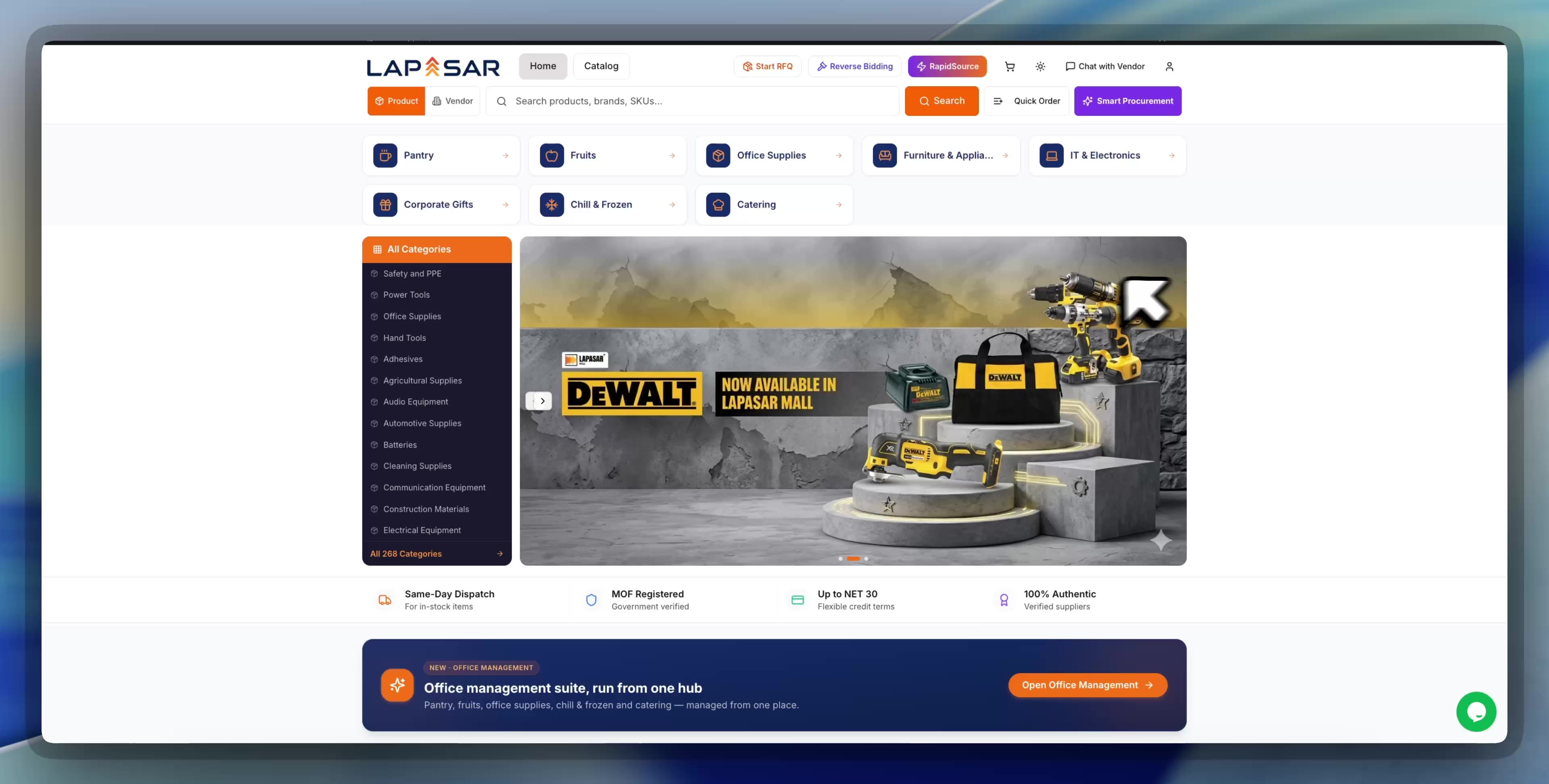
Vendor Comparison & AI Scorecards: frame from the Lapasar product walkthrough
Frame from the product walkthrough

Stage 6 · Connect your ERP

Keep your ERP as the system of record

Where PunchOut is configured, buyers start in their own system and the cart returns to its existing approval and PO process.

Inside your ERP

ERP Integration

Connect Lapasar with Coupa, SAP Ariba, Oracle, GEP SMART, Microsoft Dynamics 365 and SAP S/4HANA through integration workflows configured for your organisation.

  • Coupa, SAP Ariba, Oracle, GEP SMART, Dynamics 365 and SAP S/4HANA
  • Punch out from your ERP into the Lapasar catalogue
  • Cart flows straight back into your procurement system
  • Orders, approvals & invoices stay in your existing tools
ERP Integration in detail
Your procurement suite or ERP, connected to LapasarConfigured per customer
  • Coupa logoCoupaProcurement suite
  • SAP logoSAP AribaProcurement suite
  • Oracle logoOracleERP / procurement
LapasarCatalogue + controls
PunchOut cXML / OCI
  • GEP logoGEP SMARTProcurement suite
  • Microsoft Dynamics 365 logoMicrosoft Dynamics 365ERP
  • SAP logoSAP S/4HANAERP
  1. 01

    Punch out

    A buyer opens Lapasar from the requisition screen in their system.

  2. 02

    Shop with controls

    Contracted prices, policies and AI checks apply in the Lapasar catalogue.

  3. 03

    Cart returns

    The cart returns to the buyer's system, where its own approval and PO process runs.

Connections are set up with each customer’s IT team, using PunchOut (cXML or OCI) or an agreed integration flow; scope is confirmed during onboarding. Logos identify the systems and do not imply a certified partnership. Trademarks belong to their owners.

Built into V6

Four layers on every purchase: prevent, approve, monitor, prove value

These are the 18 governance controls and reports grouped in Lapasar’s V6 governance deck. They are parts of the capabilities above, not extra features. Each organisation sets its own limits, workflows and approvers.

01

Prevent

Stops non-compliant orders at the cart.

  • Unit price limit with justification

    Lines above your unit price limit are flagged; checkout stays locked until the buyer writes a business case, and the line goes to a named approver.

    Related capability
  • Cost centre budget check

    Each cart is checked live against the remaining budget of the cost centre it is charged to, and the exact overrun is shown. Only admins can change budgets.

    Related capability
  • Maximum order value cap

    Orders above the maximum order value you set are refused outright.

    Related capability
  • Workflow coverage check

    Every order must fall inside an approval workflow set for its cost centre and amount; if none covers it, it cannot proceed.

    Related capability
  • Mandatory cost centre and location

    Every order is tied to an authorised delivery location, a cost centre and a visible approval route before submission.

    Related capability
02

Approve

Routes every order to named approvers, with evidence.

  • Multi-layer approval workflow

    Layers and named approvers per cost centre and amount range; each decision is recorded with name, date and time, and reminders chase pending approvals.

    Related capability
  • Automatic unit price approver

    Where a unit price limit is set, lines above it add the unit price approver as an extra layer automatically.

    Related capability
  • AI split-order detection AI

    When an approver opens a pre-order, AI Insight checks it against the buyer's recent orders, budget, price and limits, and flags likely order-splitting.

    Related capability
  • Cheaper-option check

    Each line is benchmarked against equivalent marketplace offers before checkout; when none exists, the cart says so, and approvers see the same verdict.

    Related capability
  • Reason required to reject

    Approvers can approve with optional notes, but a reason is required to reject.

    Related capability
03

Monitor

Gives management a live view of spend and activity.

  • Budget utilisation

    Allocated, consumed and remaining budget for the year, drilling from user to location, cost centre and GL.

    Related capability
  • User access and activity

    Status, role and last login for every member by day, week or month, with CSV export; never-signed-in accounts are flagged for review.

  • User audit trail

    Every action by every member across marketplace and portal, filterable by member, date, area, result or PO, with before/after values and rule blocks; visible to procurement admins and exportable to CSV.

  • Email audit trail

    Every system email logged and viewable as sent, searchable by recipient, status and type. Approval links expire in 7 days; goods receipt links are single-use and expire in 24 hours.

04

Prove value

Shows the savings, order by order.

  • Savings against budget

    Allocated, spent, remaining and utilisation by cost centre, location or GL code, exportable to PDF or Excel. One of five savings report lenses.

    Related capability
  • Missed opportunities vs savings

    On comparable purchases, records whether the buyer chose the cheapest eligible offer, order by order and user by user.

    Related capability
  • Price request savings

    Compares the original price with what was actually paid after an in-platform discount request; only verified purchases count.

    Related capability
  • Historical purchase prices

    Past purchase prices kept for comparison and review.

    Related capability

Three independent checks stop the same cart

Item level: a unit price above the limit needs a justification and a named approver. Budget level: a cart over the remaining cost centre budget shows the overrun. Order level: a cart over the maximum order value stays locked. If one check is missed, the others still catch it.

Cost centre budget check and maximum order value: the cart total, remaining budget and exact overrun are shown, and checkout stays locked. Real V6 screen; example values; personal and vendor details masked.

A record that answers the auditor

The user audit trail shows every member action with Completed, Attempted or Stopped status and before/after values. The email audit trail shows every approval and goods receipt reminder as sent. Approval links expire in 7 days; goods receipt links are single-use and expire in 24 hours.

Savings counted on evidence

Savings reports give five lenses, including spend against budget, savings captured and missed on comparable purchases, and negotiated savings counted only once the purchase is verified. Reports export to PDF or Excel.

User audit trail: who did what and when, filterable and exportable to CSV, with Completed, Attempted or Stopped status. Real V6 screen; example values; personal and vendor details masked.
Savings captured and missed, with evidence per pre-order. Figures are from a demo account and cover compared lines only. Real V6 screen; example values; personal and vendor details masked.

Built, ready to switch on

Stricter controls, when your management decides

These capabilities already exist in V6. Each is switched on per company when management decides, without development work. They are not on by default.

  • Category and brand control

    Block categories or brands for a member, role, cost centre, location, department or the whole company; exceptions go through a formal unblock request, on record.

  • Approved brand standards

    Allow only chosen brands in a category; non-approved items are hidden from the marketplace, can cascade to subcategories and can differ by cost centre.

  • Supplier price visibility

    Choose lowest only, three cheapest, all options, or all offers visible with only the cheapest eligible offer selectable. This is a selection rule within your marketplace offers, not a guarantee of the lowest price in the wider market.

  • Goods receipt on delivery-order scan

    Scan the delivery order, then record Good, Partial or Rejected, so you can choose to pay only for goods accepted on arrival.

  • Required document upload

    Require a PO or quotation on every request.

  • Restrict delivery to saved locations

    Prevent goods being sent to unauthorised or personal addresses.

  • Show blocked items with unblock request

    Blocked items stay visible with a request route, so exceptions are reviewed instead of worked around.

  • Morning price brief

    A 7:00 am brief on overnight price drops.

  • Personal spending limits

    A personal cap per buyer, inside cost centre budgets.

Limits, workflows and Part B options are agreed with each organisation; example values shown on screens are not defaults.

Category and brand policies can target a member, role, cost centre, location, department or the whole company. Real V6 screen; example values; personal and vendor details masked.
Company settings for supplier price visibility and goods receipt on scan. Real V6 settings screen.

Underneath the controls

The buyer experience

  • Seven-stage buying journey

    Log in, find products, cart and quote, check out, track approval, orders and documents, goods receipt; the controls run inside stages 3 to 5.

  • Every offer side by side

    The 12 cheapest unit prices ranked first; each vendor's price, MOQ, lead time and warranty on one page; one PDF of all quotations; formal quote from the cart.

  • Ask for discount

    One request goes to every relevant vendor and offers are ranked by delivered total.

  • Three ways to source anythingAI

    Start RFQ, AI-powered RapidSource from a photo or file, or reverse bidding guided by a Lapasar account manager.

  • Lapasar Co-PilotAI

    An AI assistant that finds and prices products, raises RFQs, tracks orders and approvals, and answers budget and spend questions. Budget, approval and contract-price answers depend on how the organisation is set up.

  • Paperwork in one click

    Formal quotation, DO, PO and invoice downloads, GRN with GR date, exports by line, and vendor chat kept on record.

  • Vendors masked, verified and held to account

    Vendors appear by ID through cart, checkout and approval, with SSM, financial and location verification badges, an order assurance check for higher-risk vendors, and escalating site rules.

Questions

What procurement governance controls does Lapasar include?
Procurement policies (spend caps, category blocking, preferred vendors), contracted catalogues, budget controls, multi-level approval workflows, AI Insights for Approvers, a mobile approval workspace, order tracking to GRN, three-way matching, GL code suggestions, an exportable workflow overview, purchasing concentration review, dynamic reporting and ERP PunchOut.
How does Lapasar detect split purchases?
Purchase-fragmentation detection is part of AI Insights for Approvers. It looks across recent requests and flags to the approver when several smaller orders look like one purchase broken up to stay under a per-purchase approval limit. The approver still makes the decision.
Are all V6 controls switched on by default?
No. The built-in controls run once your limits, workflows and approvers are configured. Further capabilities, such as category and brand blocking, approved brand standards, supplier price visibility rules, goods receipt on scan and personal spending limits, are built and ready and are switched on per company when management decides.
Does the best-price setting guarantee the lowest market price?
No. The supplier price visibility setting can make only the cheapest eligible offer on the marketplace selectable under your company policy. It is a selection rule within available marketplace offers, not a guarantee of the lowest price anywhere.
Is there a software fee for these controls?
No. Lapasar has no software subscription, licence or per-seat fee; it earns when buyers transact on the marketplace.
How is this page different from Lapasar's governance and compliance page?
This page covers the governance controls in the procurement software. The governance and compliance page covers Lapasar as a company: registrations, published policies and due diligence.

Related

See the controls on your own approval rules.

A software demo walks through policies, approval tiers and the split-purchase check using your limits. Marketplace buying stays available on the same account.

Prefer to talk to a real person?

Our team replies fast on WhatsApp and email — no forms, no waiting.